How to Change the Language
BedrockConnect supports multiple languages. You can switch the app's language at any time from the settings.
Steps
- Open the BedrockConnect app
- Tap the Settings icon (gear icon in the top-right corner)
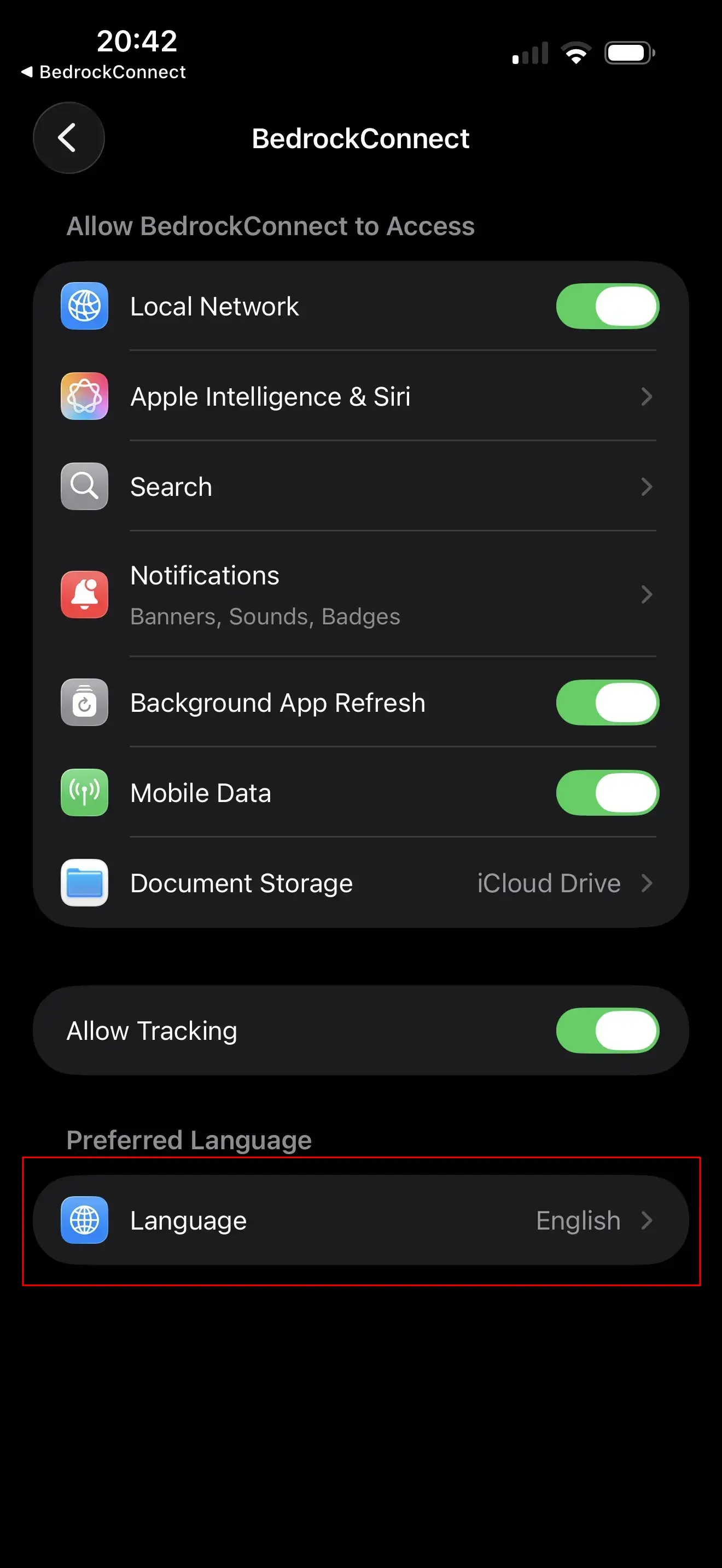
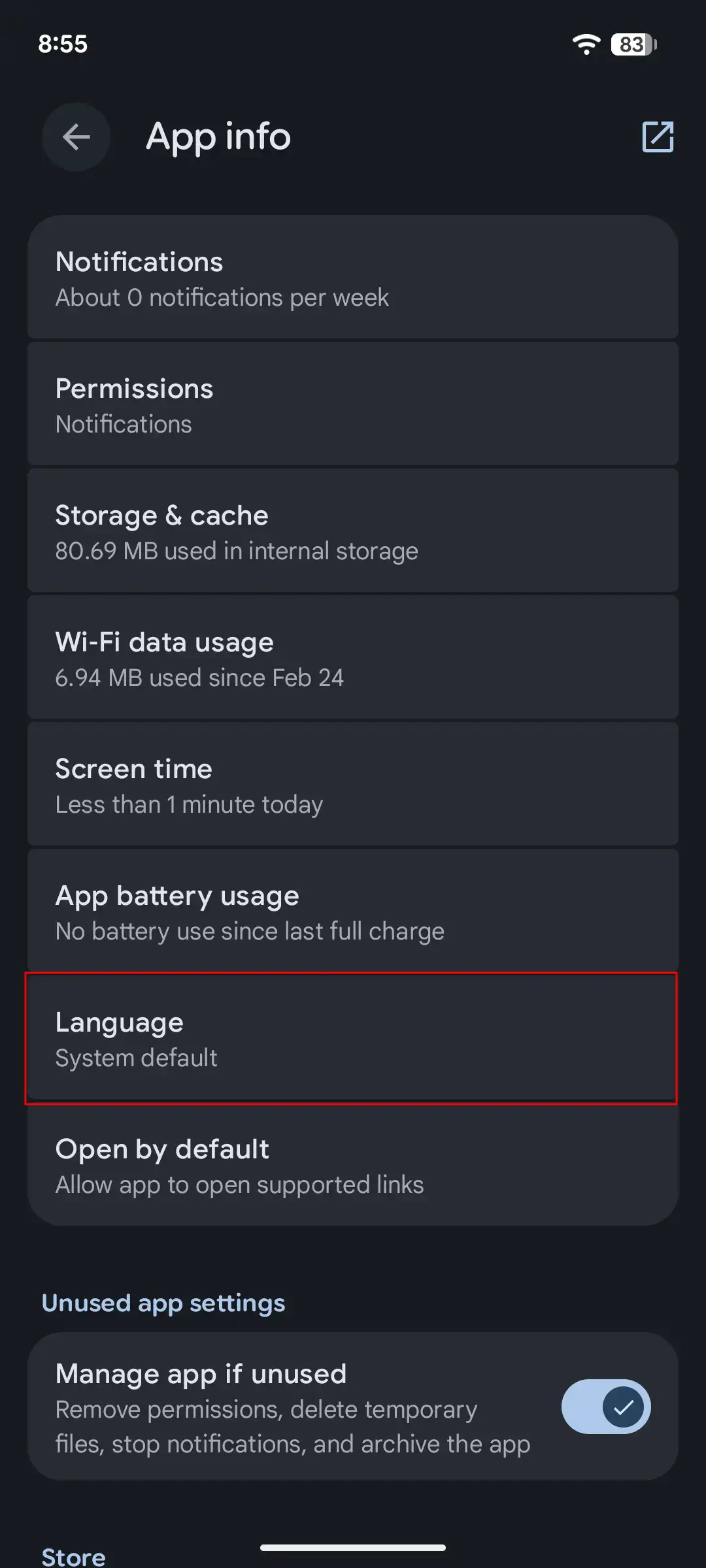
- Tap Language
- You'll be redirected to your phone's per-app language settings
- Select your preferred language from the list
tip
The app uses your phone's language by default. If BedrockConnect is already in your language, you don't need to change anything!